Ordering repeat batches of smart-home accessories
Updated · 8 min read
A practical batch record for home-automation installers: check one paid sample, preserve the accepted revision and print context, inspect the copies and prepare later orders.
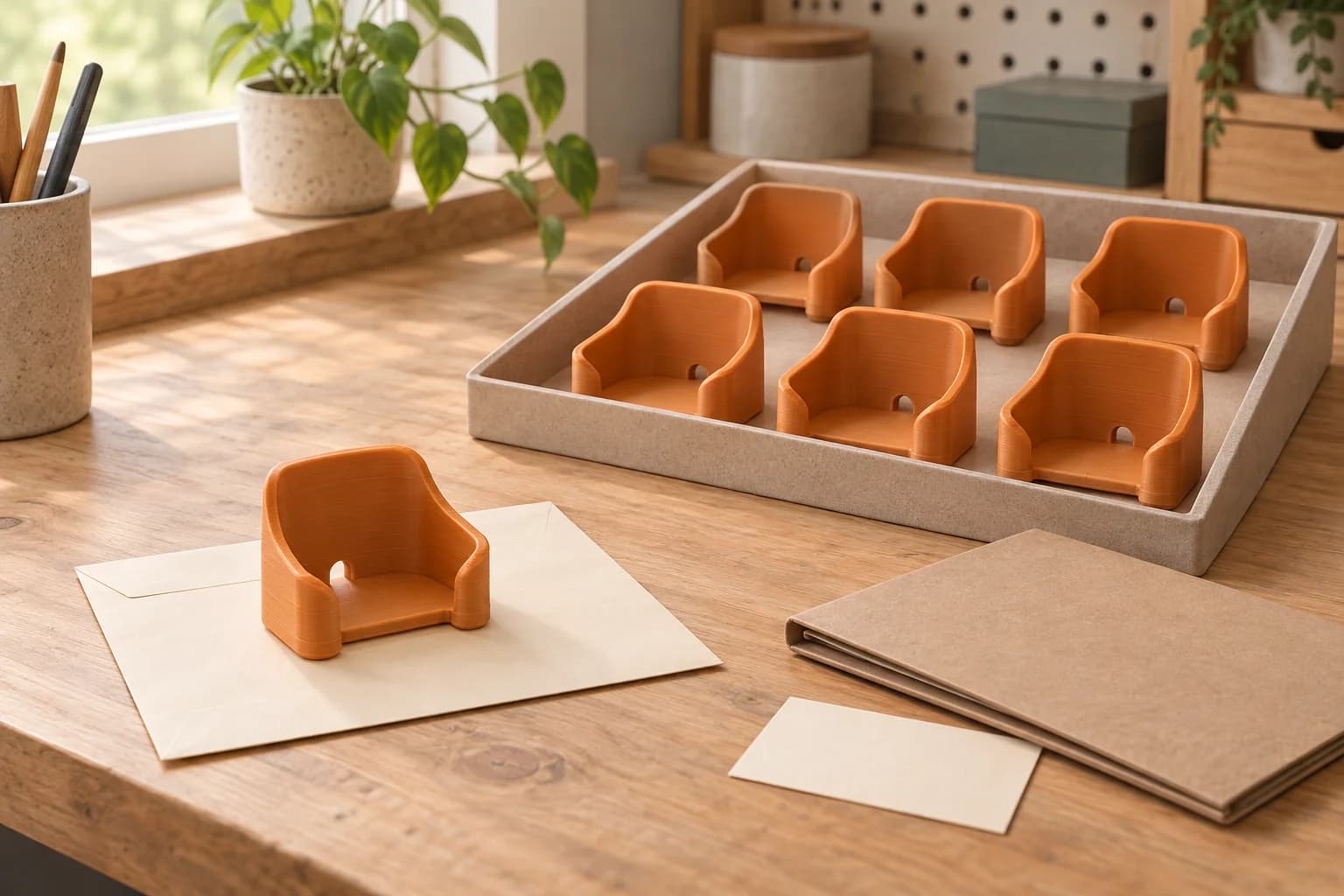
To order repeat batches of 3D printed smart-home accessories, start with one paid fit sample. Check it with the actual device and cable, save the accepted design revision and print context, then prepare the required quantity. Keep that record with the received parts so a later order starts from a clear reference.
For a Toronto/GTA installer, this approach suits low-consequence accessories such as tabletop sensor cradles, remote-control stands and sorting trays. We keep electrical enclosures, fire or security components, overhead equipment supports and structural attachments outside this service's scope. The complete restrictions are in our terms of service.
Name the accepted version before ordering copies
Imagine an installer who needs six tabletop sensor cradles now and four more later. This is a hypothetical example, but the ordering question is concrete: which file, for which device, produced the sample they accepted?
Start by checking the original accessory. Apollo Automation, for example, sells an MSR-2 Sensor Stand and publishes a directory of STEP and STL models for community use.12 Buying a suitable manufacturer's accessory may solve the job without preparing a print order. If a printed alternative is useful, establish permission for the exact design you intend to reproduce.
Save the creator's link and the applicable licence or written permission with your downloaded revision. A public download is not enough to settle permission for a paid client job. Creative Commons explains that NonCommercial conditions depend on the intended use and advises contacting the rights holder when the position is unclear.3 Our downloaded-model guide covers the file and permission checks before ordering.
A name such as tabletop-cradle-r03 is more useful than final-new. Keep earlier versions intact. Add a short record alongside the file; we suggest the following fields for your own project folder.
| Record field | What to save | What it resolves on a reorder |
|---|---|---|
| Design and permission | Revision name, original download, creator URL and dated permission evidence | Which geometry you may reproduce |
| Device combination | Exact device model and hardware revision, case or add-on, cable and connector used | Which combination the sample fitted |
| Accepted sample | Sample order reference, check date, checker and clear photos | Which physical piece is the reference |
| Material | Material family and selected stock item/SKU; colour separately | Which material was used, beyond its appearance |
| Print context | Slicer project, orientation screenshot and relevant settings | How the sample was prepared |
| Order export | Exact sliced file, filename, quantity and plate contents | What the printer was instructed to produce |
| Acceptance notes | Observed seating, access, stability and visible finish | What “fits” meant for this accessory |
| Batch history | Order reference, quantity received, pieces accepted and issues | Which parts belong to each order |
Check one paid sample with the device and cable together
Order the sample as an ordinary paid print, using a compatible file and a currently stocked material. Fit is worth checking before multiplying the part: Prusa's modelling guide identifies geometry, orientation, settings, calibration and material as tolerance variables, and recommends test prints and saved design versions.4
Decide what you will inspect before the sample arrives. For the hypothetical cradle, our suggested checks are:
- The actual device seats and can be removed without forcing it.
- The intended plug fits fully, with space for its housing and cable route.
- Buttons, vents and required openings remain accessible.
- The cradle sits flat on the intended tabletop and does not rock during ordinary handling.
- The faces visible to the client have an acceptable finish, including areas that touched supports.
Write observations rather than a single “pass”. “Device seats; USB plug housing touches the rear wall” tells the designer what needs attention. “Too tight” leaves several possibilities open. Include photos of the device seated and the connector inserted.
If the geometry needs changing, return it to the authorised designer, give the revision a new name and test another sample. CAD changes and model repair are separate from our print order. A successful fit check establishes what you observed with that combination; it does not establish long-term durability.
Keep the accepted piece as a reference, with its record. If it goes to a client, retain useful photographs and notes rather than relying on memory.
Prepare a batch export deliberately
Preserve both the editable slicer project and the exact sliced file used for the sample. A slicer 3MF project can retain object positions, profiles, supports and settings, but software interoperability still needs care.5 Opening a project in another slicer is a reason to inspect the settings again.
For the six-cradle batch, duplicate the accepted design in the project, preserve its orientation, inspect the plate and slice again. Save a separate export named for that quantity. For example, your folder could contain tabletop-cradle-r03-sample and tabletop-cradle-r03-six-copies. Both use revision r03; their print instructions differ.
Bambu Studio supports multiple plates, arrangement and orientation tools, object parameters, supports and a G-code viewer.6 Use the preview to review the batch you are sending:
- Count the accessories on every plate and confirm their revision.
- Compare orientation and relevant object settings with the accepted sample project.
- Check openings, thin details and support contact on the individual copies.
- Confirm that material slots and the chosen profiles match the intended order.
- Export the sliced plate file or complete sliced multi-plate file, then check its contents.
Our slice-and-export guide explains the file handoff. A saved geometry project alone is different from an export containing printer instructions. If the batch spans several plates, follow the multi-plate order guide so the set stays together.
You can review avoidable supports and print time with our quote-reduction checklist. If that review changes orientation or settings relevant to fit, treat the result as a new sample candidate before committing to the batch.
Inspect the small batch as individual accessories
When the order arrives, use the accepted sample and your written checks to inspect the pieces. For a small batch, we suggest looking at every accessory rather than assuming that a complete-looking plate means every copy is usable.
Count the pieces, check the revision and look for cracks, deformation, damaged edges or blocked openings. Try the important mating features with the actual device and cable. Check the visible faces against the finish you accepted. Set questionable pieces aside and record the specific issue with a photo and order reference.
For our hypothetical six-cradle order, the receiving note might read: “Six received; five seat correctly; one has an obstructed cable opening, held aside.” That is a useful account of the parts on hand. It also avoids calling the whole order accepted while one piece remains unresolved.
Keep different design revisions separate in storage. Mark the bag or tray with the revision and order reference, especially if more than one installer draws from the same stock. Adapt this practical receiving routine to the accessory.
Check what changed before ordering four more
Use the saved record to compare the proposed reorder with the accepted sample. The important question is whether the checked combination still applies.
Revisit the sample stage when the device or case revision changes, a different connector must fit, the geometry is edited, or the scale changes. Do the same when you alter orientation or relevant settings, or need a material substitution.
Record the environment too. A cradle checked on an indoor shelf should be reconsidered if the next job puts it in direct sun, near heat or around different cleaners. Prusa's material guide separates material families and screening properties such as temperature, UV and chemical resistance.7 Those categories help frame a material choice; they do not establish the performance of your finished cradle.
At reorder time, compare the selected stock item with your record. Matching colour alone does not describe the accepted material. If the earlier item is unavailable, review the proposed substitute before ordering copies. Keep any newly accepted combination as a separate entry so the older batch remains identifiable.
Order a repeat batch in Toronto
We print authorised customer files supplied as compatible pre-sliced .3mf or .gcode. An unsliced .3mf has an opt-in auto-slice path when available. Raw STL is not a checkout-ready file.
Once your batch export is ready, upload the sliced file, check the parsed time and material, select compatible stocked filament and review the current CAD quote before paying. A compatible sliced multi-plate .3mf keeps the plates in one grouped order; each plate is printed separately. Choose free scheduled Toronto pickup or Canada Post shipping through the available ordering options.
Save the new order reference and inspection notes with your project. The next reorder can then begin with a named design, an accepted sample and a clear quantity.
If the accessory itself is still undecided, start with the smart-home stand and cradle selection guide before treating a sample as the reorder reference.
For tablet accessories, add the charging-access and removal checks to the sample record; a matching outline alone leaves those questions open.
For rental-property work, first use the small replacement-part screening checklist to decide whether the part belongs in a repeat print order at all.
For a positioning nest used at an assembly bench, the workshop-fixture batch checklist adds locating-contact checks and visible retirement of bad revisions.
Frequently asked questions
Can I reuse a file from a successful earlier order?
Yes, as the starting point, provided the permission and checked device combination still apply. Confirm current file compatibility and stocked material. If you need a different number of accessories or a different plate layout, prepare and inspect a new sliced export; the previous one still contains its previous quantity.
Should I test again after changing material or orientation?
We recommend another sample when the change could affect fit, support contact or the intended use. Compare the new piece with the actual device and cable, then record the accepted combination. Keep the earlier material and orientation record with the older batch.
Can one repeat batch span several build plates?
Yes. A compatible sliced multi-plate .3mf can contain the whole batch. Count and inspect the contents of every plate before upload. The plates are grouped for quoting and payment, while printing happens as separate plate jobs.
Can we order publicly downloadable manufacturer models for client work?
Check the permission attached to the particular mechanical file and your intended use. A manufacturer's download directory or a firmware repository licence does not, by itself, answer that question. If the permission is unclear, obtain clarification from the rights holder or use a design with clear permission before uploading.
Sources checked
Apollo Automation: MSR-2 Sensor Stand. Manufacturer accessory listing; verified: 2026-10-05.
Return to text: 1
Apollo Automation: Source Code and 3D Files. Manufacturer directory describing STEP and STL community files; verified: 2026-10-05. The linked mechanical model's reproduction licence was not verified.
Return to text: 1
Creative Commons FAQ, particularly its guidance on NonCommercial use and additional permission. Verified: 2026-10-05.
Return to text: 1
Prusa Research: Modeling with 3D printing in mind, sections on tolerances and design iterations. Verified: 2026-10-05.
Return to text: 1
Prusa Research: 3MF file format and why it's great. Saved project context and interoperability; verified: 2026-10-05.
Return to text: 1
Bambu Studio official README. Plate, object and preview capabilities; verified: 2026-10-05.
Return to text: 1
Prusa Research: Filament Material Guide. Material comparison and environment screening categories; verified: 2026-10-05.
Return to text: 1
Have a sliced file ready?
Upload it for an instant quote in CAD.