3D printing for photographers: card cases, filter boxes and lens-cap holders
Updated · 9 min read
A practical kit-fit guide to printed card cases, filter storage and detached lens-cap holders, including original-case alternatives, file licences and sample checks.
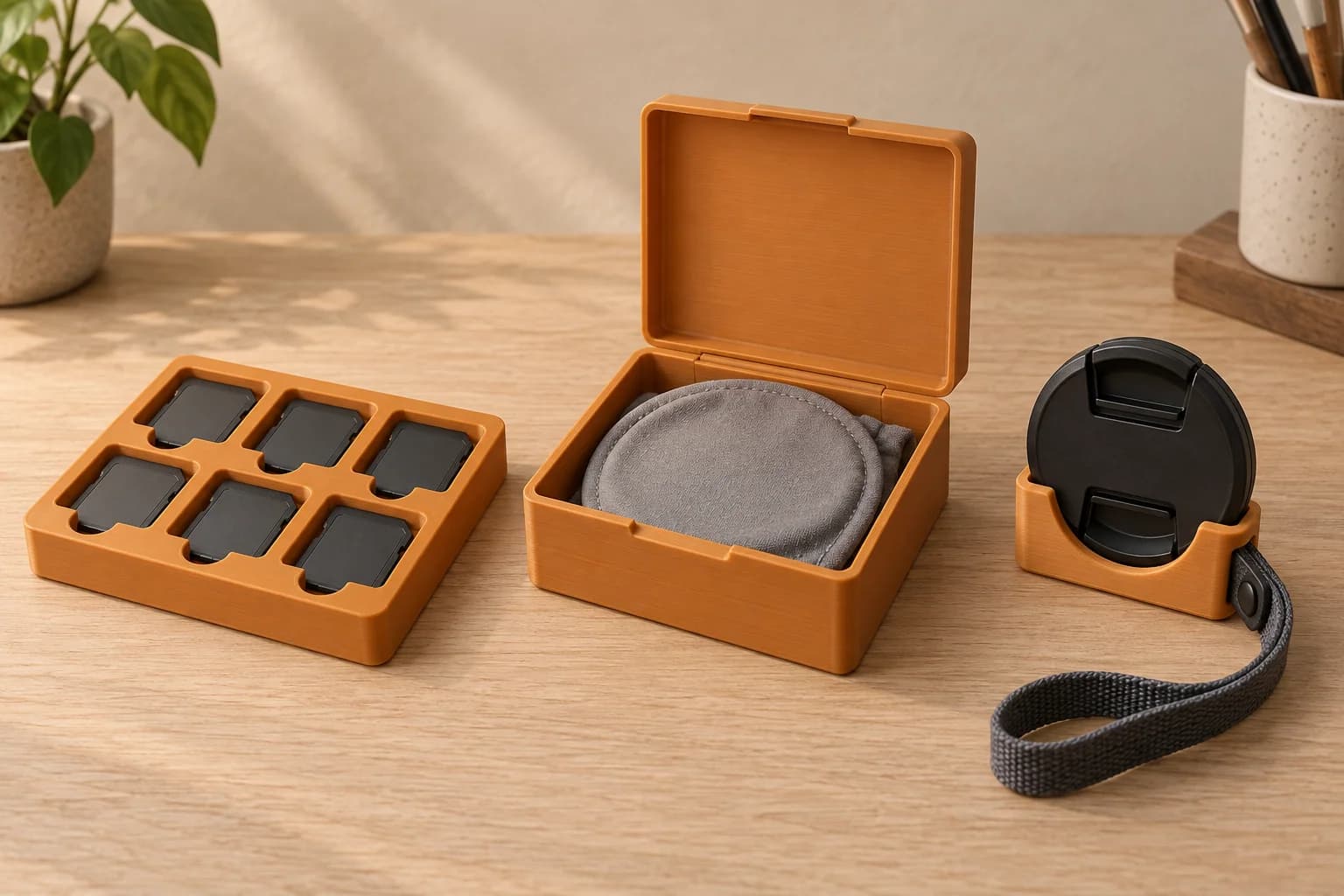
A 3D printed photography organizer makes sense when you have a specific layout to solve: separate card pockets beside the reader, a tray that locates your existing filter cases, or a place to park a detached lens cap. Start with the actual kit and an authorized model, then check one sample before ordering more.
The important question is whether you can store and retrieve each item comfortably. A model labelled “77 mm filter box” or “CFexpress case” does not tell you enough about its fit. Compare original cases and commercial storage first.
Choose the storage problem before the file
An open tray on an offload bench has a different job from a case in a travelling bag. At the bench, visible pockets and easy access may matter most. In a bag, the organizer must also fit the compartment, close around its contents and be easy to remove without catching adjacent items.
In a hypothetical studio workflow, separate trays could mark “awaiting offload” and “returned to kit.” Treat them as visual cues within your existing process; they cannot verify card contents or completed offloading.
For filters, consider an insert that holds the original cases upright or stops them wandering around a drawer. Keeping the supplied case or sleeve can resolve a layout problem without introducing a new surface against the glass. If the original cases already fit your bag, there may be little reason to replace them.
Compare complete alternatives, including their interiors. JJC's MCR-SC24 description lists spaces for 12 SD and 12 CFexpress Type A cards with a moulded rubber interior.1 NiSi describes its Caddy as an eight-pocket pouch for circular filters up to 95 mm, with padded, nonabrasive slots.2 Those are manufacturer descriptions, not our product tests; check current availability and your exact kit separately.
Record the shape that actually goes into the pocket
Keep a kit-fit record alongside the file. Measure the actual item in millimetres, in the form you plan to store it. Include a filter's sleeve or a microSD card's SD adapter when used.
| Item | Record before selecting a model | Check on the sample |
|---|---|---|
| SD card | Exact card model, body length × width × thickness, switch position and quantity | Grip an exposed edge; remove it without bending or disturbing the switch |
| microSD card | Bare card or SD adapter; actual stored dimensions and quantity | Retrieve the intended object without digging into a narrow pocket |
| CFexpress card | Type A or Type B, exact model and body dimensions | Confirm the correct pocket variant and comfortable edge access |
| Circular filter | Model, nominal size, maximum frame diameter and assembled height, including any caps or adapter left attached | Lift by the frame; check that the lid clears every protrusion |
| Detached front cap | Exact cap, outer diameter, thickness and pinch-tab arrangement | Engage and release it with the intended hand position |
| Strap or bag compartment | Strap width and thickness; available compartment length × width × depth | Check the installed holder or closed case, including access to nearby kit |
“CFexpress” alone is an incomplete fit description. ProGrade lists Type A at 20 × 28 × 2.8 mm, while Type B is 29.6 × 38.5 × 3.8 mm.3 These are card dimensions, not recommended dimensions for a printed pocket. The chosen model still needs enough space and suitable access for your actual card.
The same distinction matters with filters. Ivo Slanina's Photography Filter Case was made for a nominal 77 mm ND filter whose measured outside diameter was 79.2 mm and height 5.7 mm. The creator does not establish that every other 77 mm filter fits.4 Record the frame's outside envelope rather than treating the nominal size as the box diameter. Measure a rotating ring or attached adapter if it stays on during storage.
Cap holders have two interfaces: the cap and whatever holds the accessory in place. IdsaLAB's 62/58 mm holder specifies a 40 mm-wide strap, 2–3 mm thick, and holds one cap at a time.5 A matching cap size does not establish a matching strap fit. Check both, along with access to the cap's release tabs.
Pay attention to contact surfaces and retrieval
Nikon's Z5 manual cautions against touching card terminals with fingers or metal objects and against excessive force when handling cards.6 Apply your own camera and card maker's instructions. Our practical implication for an organizer is to leave room for an edge grip and avoid a design that requires pushing, bending or scraping the card to get it out.
For a filter box, inspect what supports the frame and what could reach the optical faces. A lid that closes empty may press on the stored filter. A pocket that looks smooth from above may have a strand, seam or support scar on its inside wall. Stop if the glass touches rough plastic. Keeping the filter in its original sleeve or case is a useful option when direct contact remains uncertain.
Adding your own lining changes the available space. Measure the lined arrangement and check that the lining is clean, suitable for the accessory and stable during removal. A soft-looking material alone is not evidence of a suitable contact surface.
Material selection also needs the actual storage environment. Prusa's PLA guide identifies temperature and UV limitations; its PETG guide discusses stringing and support-removal limitations.78 Use those as screening information when choosing from compatible stocked filament. Neither a material name nor a tidy render establishes the finished organizer's suitability for heat, sunlight or repeated use. Inspect the print itself, especially inside pockets and around closures.
Select the exact variant and usable reproduction rights
A creator's fit notes can be more useful than a gallery image. In mmurase00's SD/MicroSD card case, the description distinguishes loose SD slots from microSD retention at the edges. It also calls out a less-tested alternative tray that may fit tightly.9 Select and record the exact tray, not just the project title. Check whether the download requires separate hinges, fasteners, magnets, glue or other assembly items.
Keep the creator name, source URL, download date, file variant and licence with your kit-fit record. The card-case and cap-holder pages checked for this article link to CC BY-SA 4.0.95 That licence permits commercial reuse subject to its terms, including attribution and ShareAlike requirements for adaptations.10 Follow the terms for your actual use rather than assuming that a free download is unrestricted.
The filter-case example links to CC BY-NC 4.0, which excludes commercial use.411 It is a measurement example here, not a ready-to-order recommendation. For paid reproduction, choose a suitably licensed alternative or obtain separate permission covering the intended use. A licence on a file may not clear every underlying right.11
Our guide to printing downloaded models covers the checks before ordering. Once you have selected an authorized variant, the STL-to-print-ready guide explains how to turn geometry into an accepted upload.
Give the first sample a kit-specific check
The following is our proposed acceptance checklist, not a report of a tested customer job. Work over a clear tabletop. Start with an appropriate nonvaluable dummy where practical, then use the actual accessory only after the empty organizer passes inspection.
- Inspect empty pockets and closures. Look for strands, rough projections, support residue, cracks and loose assembly pieces. Check the surfaces the accessory will touch.
- Try the intended storage arrangement. Include the sleeve, adapter, cap or original case recorded in your measurements. Stop at binding or force.
- Retrieve each item normally. Can you grip a card edge, lift a filter by its frame and reach the cap's pinch tabs? Check the hardest pocket, not only the easiest one.
- Close it with the full intended contents. Check lid clearance and closure engagement. Avoid pressing a lid down against an accessory to make it latch.
- Check the destination. Place the closed organizer in the bag compartment or drawer. For a cap holder, check engagement and one-handed release over the tabletop. Inspect the accessory afterwards for marks.
Record the sample's file revision, material and what passed or failed. If a pocket binds, revise the relevant geometry and reslice; scaling the whole organizer also changes hinges, closures and strap interfaces. Accept the revised sample before repeating it. These checks help reject an unsuitable fit; they do not establish a protection rating.
Order a file-ready photography organizer in Toronto
At 3dPrintsToronto, we print authorized customer models supplied as compatible pre-sliced .3mf or .gcode files. An unsliced .3mf may offer opt-in auto-slicing, subject to availability. A creator's ready-made G-code or profile is not automatically compatible with our service. Follow the plate-slicing guide before export.
Choose from the compatible filament currently shown in the ordering flow and review the CAD quote before paying. Finishing, lining, hardware and assembly are not included in the print order. We do not include CAD design, resizing or model repair with an upload order; arrange any required file changes before submitting it.
When your model and rights are ready, upload the accepted file. Order one sample for an uncertain fit, then use its result to decide on repeats. Free scheduled Toronto pickup and Canada Post shipping are available subject to the ordering options. Check our terms of service for the full scope.
For an open studio bench tray, adapt the numbered organizer and job-card method when separate projects or kits need to retain their identity.
For shapes that belong in the photograph itself, the tabletop photo-prop guide adds composition, visible texture and ambient window-light review to the sample decision.
Frequently asked questions
Will every 77 mm filter fit the same printed box?
Compare each filter's actual frame diameter, assembled height and protrusions with the exact model. The creator's 77 mm example measured 79.2 mm across its outside frame.4 Check attached caps, adapters and lid clearance too.
Can one case hold SD, microSD and CFexpress cards?
It can have separate pockets for the formats you use, if the selected design provides them. Record CFexpress Type A or B and whether microSD is stored bare or in an adapter. Check retrieval from each pocket on the sample.
Should I remove filters from their original cases?
Keep the original case or sleeve when it works well. A printed tray can organize those cases instead. Only consider direct filter contact after checking frame support, optical-face clearance and the actual print's contact finish; we have not tested scratch prevention.
Can I order a lens-cap holder from a downloaded STL?
Check the file's reproduction rights, exact cap and strap fit, and required assembly items. Prepare a compatible sliced upload using our linked guides. Use this type of holder only to park the detached cap.
Sources checked
JJC, MCR-SC24 Memory Card Case: listed card capacity and moulded rubber interior. Manufacturer description; Canadian stock and price not checked. verified: 2026-10-05.
Return to text: 1
NiSi, Caddy Circular Filter Pouch: eight pockets, stated 95 mm capacity and interior description. Manufacturer announcement, not a current stock check. verified: 2026-10-05.
Return to text: 1
ProGrade Digital, CFexpress 2.0 Type A Gold Memory Cards: product dimensions and Type A/Type B comparison. verified: 2026-10-05.
Return to text: 1
Ivo Slanina, Photography Filter Case: creator's specific filter dimensions, compatibility caveat and linked CC BY-NC 4.0 licence. verified: 2026-10-05.
IdsaLAB, Camera lense cover – 62 and 58 mm: cap/strap dimensions, single-cap use and linked CC BY-SA 4.0 licence. verified: 2026-10-05.
Nikon, Z5 manual: Inserting Memory Cards: terminal-contact and handling-force precautions. verified: 2026-10-05.
Return to text: 1
Prusa Research, PLA material guide: general temperature and UV limitations. verified: 2026-10-05.
Return to text: 1
Prusa Research, PETG material guide: stringing and support-removal considerations. verified: 2026-10-05.
Return to text: 1
mmurase00, SD/MicroSD card case: variant-specific retention notes and linked CC BY-SA 4.0 licence. verified: 2026-10-05.
Creative Commons, CC BY-SA 4.0 deed: commercial reuse, attribution and ShareAlike terms. verified: 2026-10-05.
Return to text: 1
Creative Commons, CC BY-NC 4.0 deed: NonCommercial condition and notice about other permissions. verified: 2026-10-05.
Have a sliced file ready?
Upload it for an instant quote in CAD.