Gridfinity printing in Toronto: plan your drawer and order parts
Updated · 6 min read
Start with your inside drawer measurements, arrange the bins you need and follow the calculator’s available preview and ordering options. We explain what to check before paying for a Toronto print order.
Get the drawer plan clear before requesting prints
You can arrange a Gridfinity drawer without owning a 3D printer. Start with the usable inside dimensions, decide which items need separate boxes, and work out the parts you actually want printed. That gives a Toronto print provider a clearer request than a drawer photograph and a request for an organizer.
Our calculator lets you explore that layout in your browser. Check the calculator for current kit availability and use Generate preview when offered. If you already have a model you are authorized to have printed, our file-upload route is a separate way to request a quote.
Plan the drawer before choosing your print files
Enter your inside drawer measurements and arrange your boxes in the browser. Use Generate preview when offered, then choose an available material and review the full quote before paying.
Open the Gridfinity calculatorThe calculator shows current preview and ordering availability. For an existing model or a layout the tool cannot prepare, ask us about your print.
Choose the scope of the order
Put your existing parts beside the empty drawer first. Someone with compatible bins may only need a baseplate. Someone starting fresh needs to choose both the base and the box arrangement. Our baseplate and bins buying guide helps you write that parts list without buying the same component twice.
Record the width, length and available height inside the drawer. Measure around obstructions and check the path of the drawer as it closes. Our drawer measurement guide covers those checks. A furniture model name alone does not establish your usable dimensions.
Use the calculator to settle the layout
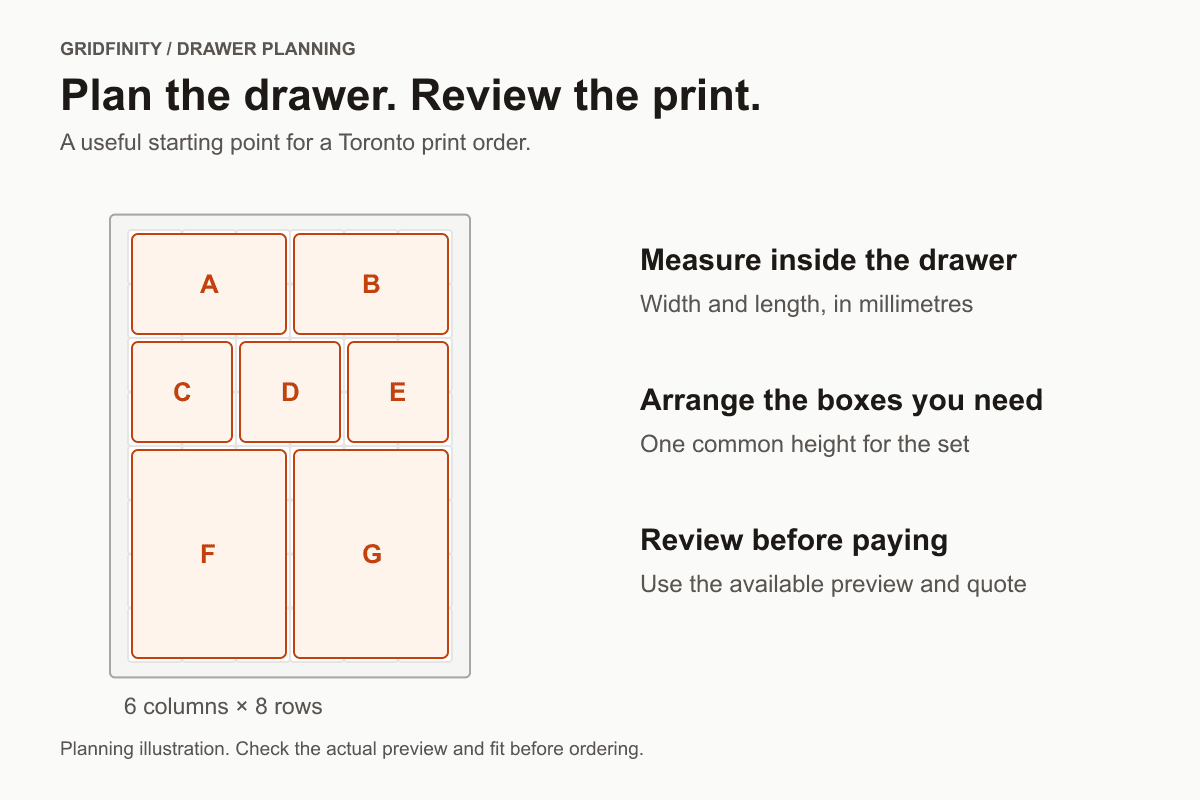
The planner accepts inside width and length from 42 to 1,260 mm. Each grid cell is 42 × 42 mm. For a 280 × 360 mm entry, it shows six columns and eight rows. The remaining space becomes a printed perimeter: 14 mm on each side and 12 mm at the front and back. That border is part of the proposed base footprint.
Add rectangular boxes up to five cells along either side and choose one shared height from 11 to 240 mm. Try a few arrangements before committing to a parts list. The diagram is schematic; it does not establish physical fit or printability. The calculator does not export STL files. For a tools-first layout, use our tool drawer planning guide.
Bring the right file to the quote
A layout and a printable model are separate steps. If you use an existing model, choose one you are authorized to have printed. Keep its source and permission information with your request. If that point is unresolved, contact us before uploading. A link to a downloadable model alone does not complete the order brief.
We accept compatible sliced .3mf and .gcode files. STL files can use opt-in auto-slicing when offered, with dimension and automatic preparation confirmations. Check the STL preparation guide before sending a model. Changes to the geometry need to be resolved in the file first.
When reviewed kit generation is offered in the calculator, use its explicit Generate preview step and inspect the prepared assembly and plates before proceeding. Moving boxes in the planner does not place a print order.
Review the full total and the collection plan
The quote depends on the prepared parts, quantity, selected stocked material and order options. Drawer dimensions alone cannot establish a price. Our Gridfinity printing cost guide explains how to compare base-only, bins-only and combined requests. Review the complete total before paying.
We operate a home-based Toronto workshop with free scheduled pickup. When the whole order is ready, the pickup link lets you book an available appointment. A pickup appointment and a production completion estimate answer different questions. Confirm an important deadline before ordering; do not plan a trip around a schematic preview.
Questions about Gridfinity printing in Toronto
Can I buy the calculator layout right now?
Check the calculator's current availability. Where generation is offered, prepare and review the preview before continuing. Otherwise, use an authorized prepared file or ask us about your intended parts through the contact path above.
Do I need a printer or an account to plan?
The browser planner needs neither. Uploading a file requires an email address so the private quote and order stay connected to you.
Will you turn a drawer photograph into custom bins?
A photograph helps explain the request. The upload route needs a compatible printable file; it does not include custom CAD modelling. Measure the drawer and resolve the geometry before requesting prints.
Service information checked
Our Gridfinity calculator, our print pricing guide and our Toronto workshop information; verified: 2026-10-20. Planner limits were also checked against the current implementation. The calculator shows current availability.
Start with your drawer measurements
Arrange your boxes in the calculator, then follow the available preview and ordering options. Review the full quote before paying.