Gridfinity baseplate or bins: what should you order?
Updated · 6 min read
Order the components your drawer actually needs. Compare a base-only plan, bins for an existing grid and a full set, then check how the parts will fit together.
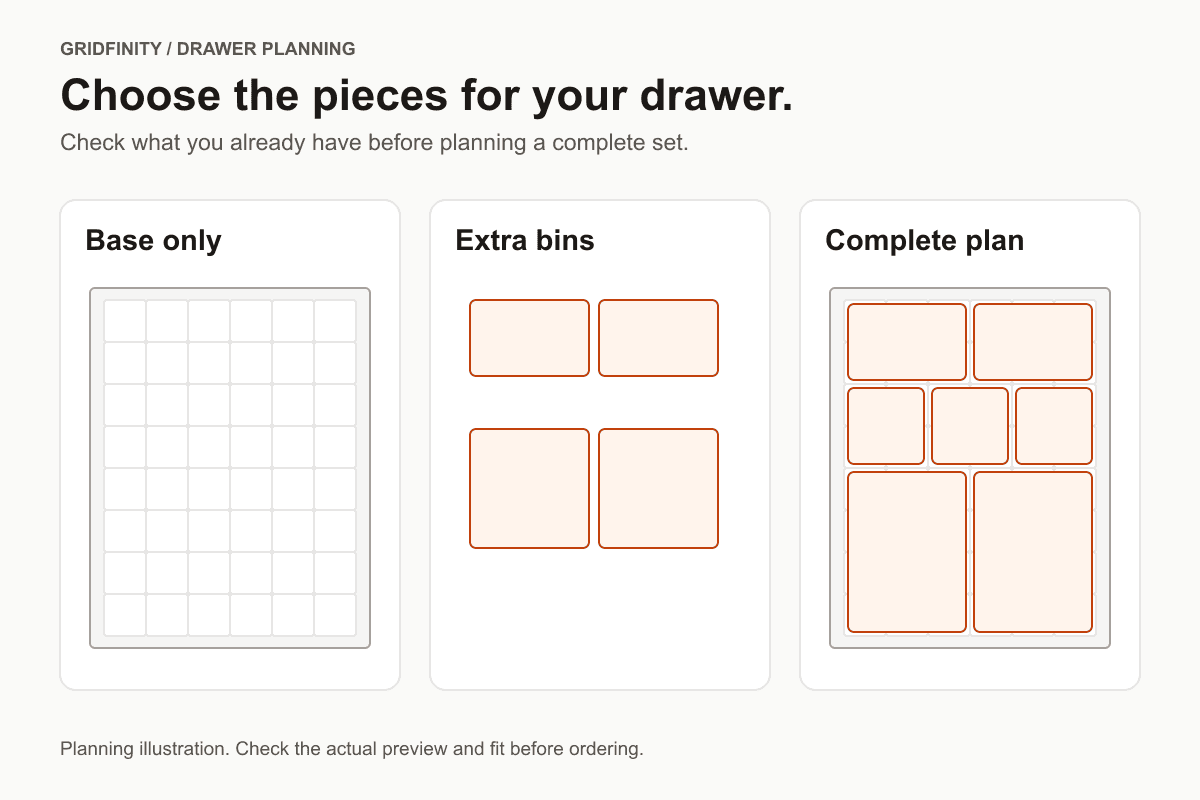
Order the component your drawer is missing
A Gridfinity baseplate provides the grid that locates the containers. Bins provide the storage compartments. A complete drawer setup needs a plan for both. Before buying printed parts, check what you already own and write down what the proposed order includes.
Our calculator lets you compare a base-only layout with a layout of rectangular boxes. Use the plan to settle your requirements, then check the calculator for current kit availability. Use Generate preview when offered or ask about printing an authorized file.
Compare the base and box layout in your drawer
Enter your inside drawer measurements and arrange your boxes in the browser. Use Generate preview when offered, then choose an available material and review the full quote before paying.
Open the Gridfinity calculatorThe calculator shows current preview and ordering availability. For an existing model or a layout the tool cannot prepare, ask us about your print.
Baseplate-only, bins-only or a complete set?
| Order scope | When to consider it | Resolve before ordering |
|---|---|---|
| Baseplate only | You have bins and want to arrange them in a measured drawer. | Existing bin geometry, base variant and outer footprint. |
| Bins only | You have a base and need more compartments. | Free cells, bin footprints, usable interiors and closed-drawer height. |
| Base and bins | You are starting a drawer or replacing the whole arrangement. | Every component, quantities, assembly and a compatibility check. |
Our calculator includes a base in every generated layout. It offers a base-only plan or a base with boxes. For bins without a new base, upload suitable authorized files or contact us about the parts you need.
A product photograph may show an assembled drawer while the listing covers one component. Ask for a parts list. Check whether any joining pieces or hardware shown in the design are included, separately supplied or unnecessary for that version.
Check compatibility at the parts level
The community Gridfinity specification describes magnets as a way to supplement the socket connection. It is marked work in progress. We therefore treat the actual selected base and bin files as the references for an order, rather than promising that every derivative will fit every other one. See the community specification (verified: 2026-10-20).
- Identify the parts. Keep the source, variant and version for an existing base or bin. Include a sample when physical compatibility is central to the request.
- Compare the mating geometry. Check the bottom of the bin and the base socket, including any projections or recesses.
- Count the usable cells. Record occupied positions and obstructions before choosing more boxes.
- Check the complete height. Account for the chosen base and bin together, with the drawer closed and contents in place.
A label such as 2 × 3 describes the grid footprint. Measure the item against the model's usable inside compartment as well. Walls and internal features occupy space. Our tool drawer guide uses this distinction when allocating space for tools and retrieval.
Understand what our base-only plan includes
In our planner, you can continue with an empty box layout to review a base-only plan. The whole-cell grid uses a 42 mm pitch. Width and length left over after those cells become a printed perimeter, split evenly between opposite sides. The entered dimensions describe the proposed outer base footprint.
That border is different from an installation gap. If your usable space needs clearance, resolve it in your entered dimensions and subsequent fit check. Follow the drawer measurement checklist before treating a wall-to-wall measurement as the intended part size.
Boxes in this calculator are rectangular, up to 5 × 5 cells, with one shared height from 11 to 240 mm. Use a different authorized model when the brief requires a shaped tool pocket or another feature the planner does not offer. The schematic layout does not test an existing bin against the proposed base.
Compare quotes with matching component lists
Compare the same base coverage, box quantities and chosen material across requests. A base-only total cannot tell you what a filled drawer will cost. Our Gridfinity cost guide explains which details affect the reviewed price. The Toronto printing guide covers file preparation and scheduled pickup.
Questions before buying Gridfinity parts
Should I replace bins that already work?
Start by checking their fit with the proposed base. If they meet your storage needs and are compatible, a base-only request may cover the missing component. Keep their dimensions and model details in the brief.
Can I order boxes at different heights here?
Our calculator applies one height to the whole box layout. It does not provide separate per-bin heights. Resolve a mixed-height parts list through suitable authorized files before requesting a quote.
Does a complete kit mean it has been fit-tested?
Check the specific product's evidence and included parts. A complete list does not establish fit in your drawer. Check the prepared preview and resolve physical compatibility before committing to a larger set.
References checked
Gridfinity community specification and our drawer calculator; verified: 2026-10-20. Component advice describes checks to make, rather than tested compatibility between particular printed parts.
Start with your drawer measurements
Arrange your boxes in the calculator, then follow the available preview and ordering options. Review the full quote before paying.