Printing device holders for AV installations: dimensions and access checks
Updated · 8 min read
A practical desktop-holder access map for AV installers: identify the exact device, test the actual plug bodies and rehearse removal before ordering repeat prints.
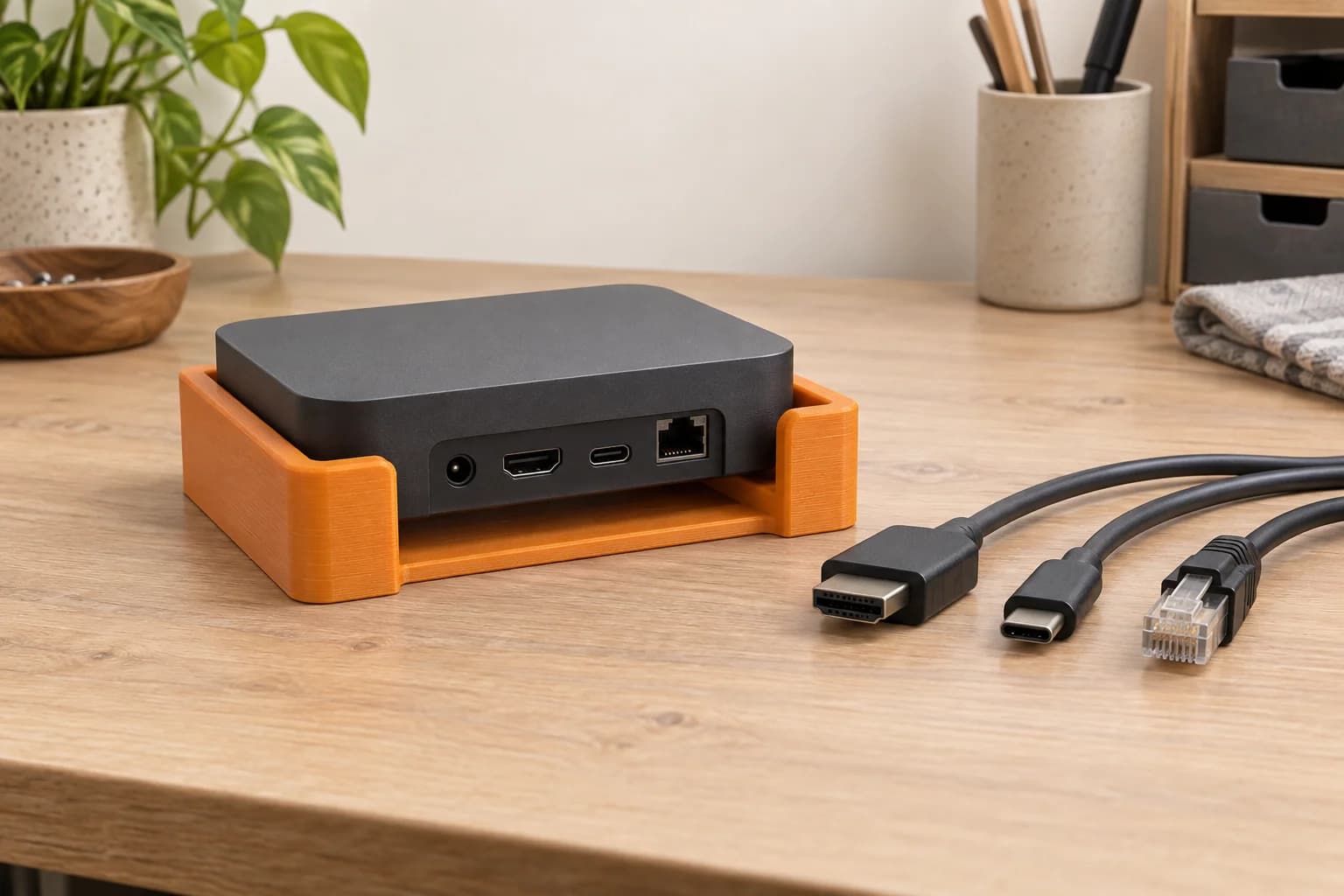
Before ordering a 3D printed AV device holder, check the exact device, the real cable plugs and the removal route together. A cradle can match the case dimensions while leaving too little room to release an Ethernet plug or lift the device out.
For Toronto/GTA AV installers, an external, removable desktop fit sample can help answer those questions before choosing an accessory or ordering repeat copies. This guide covers intact small devices and remote-control stands, supported on a broad desktop. We print authorized customer files; the sample gives you something tangible to inspect, without requiring changes to the device.
Check the original stand before making a print
Start with the device manufacturer's placement guidance and accessory list. A ready-made original stand may already solve the problem you are trying to model. NVIDIA, for example, identifies a vertical stand for SHIELD TV Pro in its North American FAQ. Confirm the exact device compatibility and Canadian availability when buying; the FAQ alone does not establish either for your unit.1
Use this comparison to decide what you actually need:
| Option | Useful when | What to check first |
|---|---|---|
| Existing manufacturer-permitted desktop placement | The device already sits where it needs to, with accessible connections | The exact manual, available space and service access |
| Original manufacturer stand | You want the arrangement described for the compatible device | Model/revision compatibility, instructions and current availability |
| Authorized printed fit sample | You need to inspect a proposed shape, contact point or connector opening | Reproduction permission, exact device and cable set, and a written fit question |
Make the fit question specific: “Can we release this plug without removing the cradle?” is more useful than “Does it look tidy?” If the ordinary placement works, there may be no holder to order.
Identify the unit more precisely than its product name
Record the model number and hardware revision from the actual unit before choosing a file. Apple distinguishes the third-generation Apple TV 4K Wi-Fi model A2737 from the Wi-Fi + Ethernet model A2843, as well as earlier generations. The shared product-family name is an incomplete identifier.2
Published dimensions are a starting point. Apple's specification page lists a 93 × 93 × 31 mm case, with different connection configurations for the two models. Google's TV Streamer specification lists 161.56 × 75.6 × 26.67 mm and USB-C, HDMI Type A and RJ45 connections.34 Those figures tell you the broad size and connection types. They do not give you the complete shape of the contact surfaces or the space needed by your chosen plugs.
Make a small device record containing:
- Make, model number and revision, plus any protective sleeve or other fitted accessory.
- Measurements of the intact case, corners, feet and protrusions that meet the holder.
- Photographs of each side, identifying the intended contact faces.
- The exact cables you plan to use and the relevant manufacturer instructions.
For a remote stand, identify the remote separately from the box it came with. Apple's handling guide distinguishes USB-C charging on the third-generation remote from Lightning charging on the first and second generations.5 A slot that accepts the remote's outline still needs a separate check for its charging connection.
Make an access map, not just a bounding box
On a sketch or a set of photographs, mark the space occupied by the device, the connected plugs, and your hands as you insert or remove them. Keep the dimensions you measure tied to the actual items. Avoid applying one generic “rear clearance” to every cable.
Use this access map to plan the sample check:
| Area | What to mark | What to try on the sample |
|---|---|---|
| Case and contact faces | Feet, curved corners, lips and holder contact points | Seat the intact device without squeezing it; check for rocking or unintended contact |
| Plug bodies and cable exits | The whole plug housing, its cable exit and neighbouring plugs | Insert and remove the real plugs with the complete intended cable set present |
| Release and hand access | RJ45 latch, finger space and a route to grip each plug | Reach the release and withdraw the plug by its body without levering against the holder |
| Controls and visible features | Buttons, indicators and receiver openings relevant to the unit | Reach or see each feature in the proposed position |
| Openings and surfaces | Vents and surfaces identified in the device instructions | Check what the holder touches or covers; retain the manual's placement requirements |
| Removal route | Direction of lift or slide, plus space above and around the case | Disconnect and remove the unit in the intended service sequence |
An open design can make these questions easier to see. Bondar Labs describes a holder with top insertion, an open front and a cable opening in its Google TV Streamer case study.6 Those are useful geometry observations for a fit brief; its wall-mounted application is outside this desktop-sample guide.
A port opening can clear the socket and still catch the plug
Consider a hypothetical desktop cradle with a low rear lip. The device drops into place, and the HDMI socket is visible above the lip. The actual cable has a wide moulded plug body that touches the lip before it is fully inserted. With the neighbouring Ethernet cable present, there is also no finger space to press its release tab.
The useful feedback is two separate observations: “HDMI plug housing contacts rear lip” and “Ethernet latch cannot be reached with HDMI cable present.” Photograph those contacts and return them to the authorized designer. Enlarging the whole cradle would also change the side fit and other features that may already be correct.
For a remote stand, make the same distinction between storing and charging. Decide whether you need to charge it while seated or remove it first. Then rehearse that particular sequence with the actual cable.
Order one sample and practise taking it apart
Choose an authorized file version and prepare one sample before committing to a quantity. Prusa's modelling guidance identifies geometry, orientation, calibration, settings and material as fit variables, and explicitly rejects a universal tolerance value.7 A clearance copied from another project is a starting assumption to test.
If only one contact feature is uncertain, a small feature sample may answer that narrow question. A full cradle is more useful when the question involves several plugs, the device's seating position or its removal route.
With power disconnected as the device instructions direct, keep the setup supported on the desktop and work through this sequence:
- Inspect the empty holder. Look at the contact faces and openings before placing the device in it.
- Seat and remove the device. Stop if insertion needs force or the holder presses controls or squeezes the case.
- Try the real cable set. Check complete insertion, plug-body clearance, release access and cable exits with neighbouring connections present.
- Rehearse service access. Disconnect the cables, grip the case and lift or slide it free in the planned order.
- Record the result. Note the exact interference or access problem, including which cable was fitted when it occurred.
A useful result sounds like “unit lifts out after both cables are disconnected; USB-C plug body clears the side rail.” It should be specific enough for someone else to repeat the check.
Keep mechanical fit separate from powered suitability
A sample establishes what you observed about fit and access. Keep the manufacturer's operating instructions alongside those observations.
Apple's guide says the case transfers heat to the surrounding air, requires ventilation openings to remain clear, calls for accessible power disconnection and limits accessories to those specified by Apple.5 For that device, an independently printed sample does not establish permission for powered use. A visible opening alone also says little about the effect of surfaces covered by a holder.
Material choice deserves the same discipline. Prusa's material guide compares properties including temperature, UV and chemical resistance.8 Use that information to screen the proposed environment, then check the materials currently available in our ordering flow. A material-family name does not qualify the finished holder for use beside warm equipment. Our scope here is a removable fit or visual sample; we do not provide installation, engineering or thermal qualification.
Keep the checked combination with the file
Before ordering repeat copies, save the holder version, device revision, cable identifiers, material, print orientation, exported file and dated observations together. Recheck the relevant observations whenever one of those inputs changes. A cable substitution can reopen the plug-access question even when the device itself is unchanged.
Also keep the creator, file source and applicable reproduction permission. Check the actual terms for a downloaded model and resolve permission for paid printing before uploading it. Our downloaded-model guide explains the ordering checks; a free download alone is insufficient information.
At 3dPrintsToronto, the core upload route accepts compatible pre-sliced .3mf or .gcode files. If you start with geometry, use our STL-to-print-ready guide, then slice and export the plate file. An unsliced .3mf may offer opt-in auto-slicing, subject to availability. We do not create holder CAD from a device photograph or measurement sheet.
When your sample file is ready, upload it for a quote, select compatible stocked filament and review the parsed details before paying. Free scheduled Toronto pickup and Canada Post shipping are available through the ordering options.
For a holder around a room sensor, add the sensing-opening and placement checks to the mechanical access map.
If the connected leads need a separate organizer, follow the cable-comb fit and removal checks using those same actual cables.
Questions before ordering
Are the manufacturer's outer dimensions enough?
They help establish overall size. Measure the contact features on your unit and test the real plugs, release access and removal route as well. These are the details the access map is designed to capture.
Can one holder fit two revisions of a device?
Treat compatibility as a question to check for each exact revision and cable arrangement. Save separate observations rather than extending a successful sample's result to every device carrying the same product name.
Can we choose PETG and assume heat is covered?
No. A material comparison helps screen candidates, while device instructions and the complete arrangement govern suitability. This service can print an authorized fit sample; it does not approve powered operation in the holder.
What if we have measurements but no printable model?
Have a designer prepare an authorized model first, or choose a compatible original accessory. We can print the prepared file, but measurement, CAD creation and installation are outside the ordering service.
Sources checked
NVIDIA: SHIELD TV FAQ, US and North America — identifies a vertical stand for SHIELD TV Pro; current Canadian stock and unit-specific compatibility were not checked. verified: 2026-10-05.
Return to text: 1
Apple: Identify your Apple TV model — model numbers, generations and connection distinctions. verified: 2026-10-05.
Return to text: 1
Apple: Apple TV 4K technical specifications — overall dimensions and model-specific connections. verified: 2026-10-05.
Return to text: 1
Google: Chromecast and Google TV Streamer specifications — TV Streamer dimensions and USB-C, HDMI and RJ45 connections. verified: 2026-10-05.
Return to text: 1
Apple: Important safety and handling information for Apple TV 4K — charging-connector generations, case heat transfer, ventilation, power access and specified accessories. verified: 2026-10-05.
Bondar Labs: Google TV Streamer holder case study — the supplier's account of top insertion and open cable access; used for geometry observations only. verified: 2026-10-05.
Return to text: 1
Prusa Research: Modelling with 3D printing in mind — fit variables and the absence of a universal tolerance. verified: 2026-10-05.
Return to text: 1
Prusa Research: Filament Material Guide — material-property screening categories. verified: 2026-10-05.
Return to text: 1
Have a sliced file ready?
Upload it for an instant quote in CAD.